
If you are seeing this message, it means you are a business in Canada. Due to banking regulations, Veem requires additional regulatory information from your account.
How to Submit Your Regulatory Information
-
Log in to your Veem account.
-
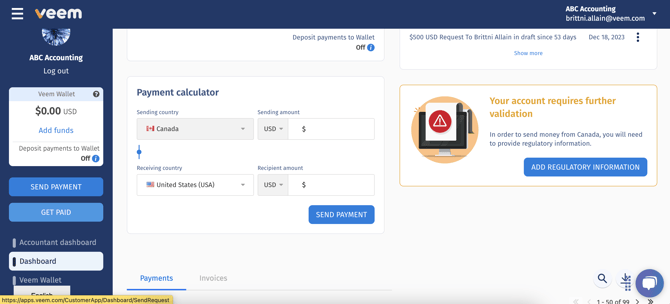
On your main Dashboard, you will see a notification stating: “Your account requires further validation.”
-
Click the “Add Regulatory Information” button.
-
Complete the short form provided.
Once submitted, your account tracker should update within 1 business day.